Panels
Findings
The findings are what the model's build and its audit say about the project: errors, for what the build refused or the audit found broken, and advisories, worth a look but refusing nothing. They stand as two counts in the status bar, and each one, clicked, shows its element; nothing is ever repaired behind your back.
What it is
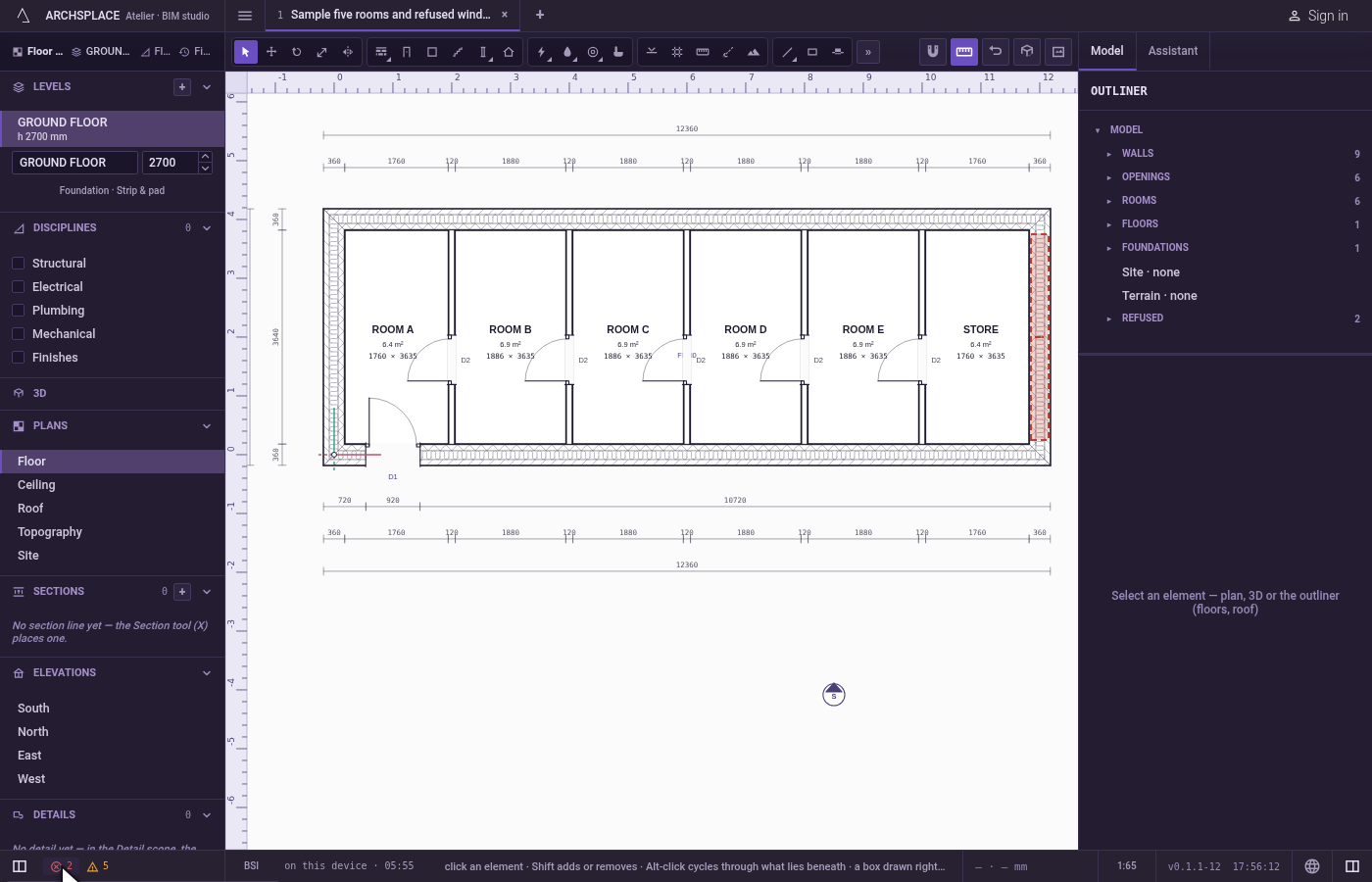
Every time the model is built, the build and the audit report what they find. The status bar shows it at its left, beside the sidebar's toggle:
- ✓ no findings when there is nothing to say;
- otherwise two figures: the errors, in red with a ringed cross, refused by the build or broken by the audit, and the advisories, quiet with a triangle, worth a look, nothing refused. Hovering a figure says how many there are.
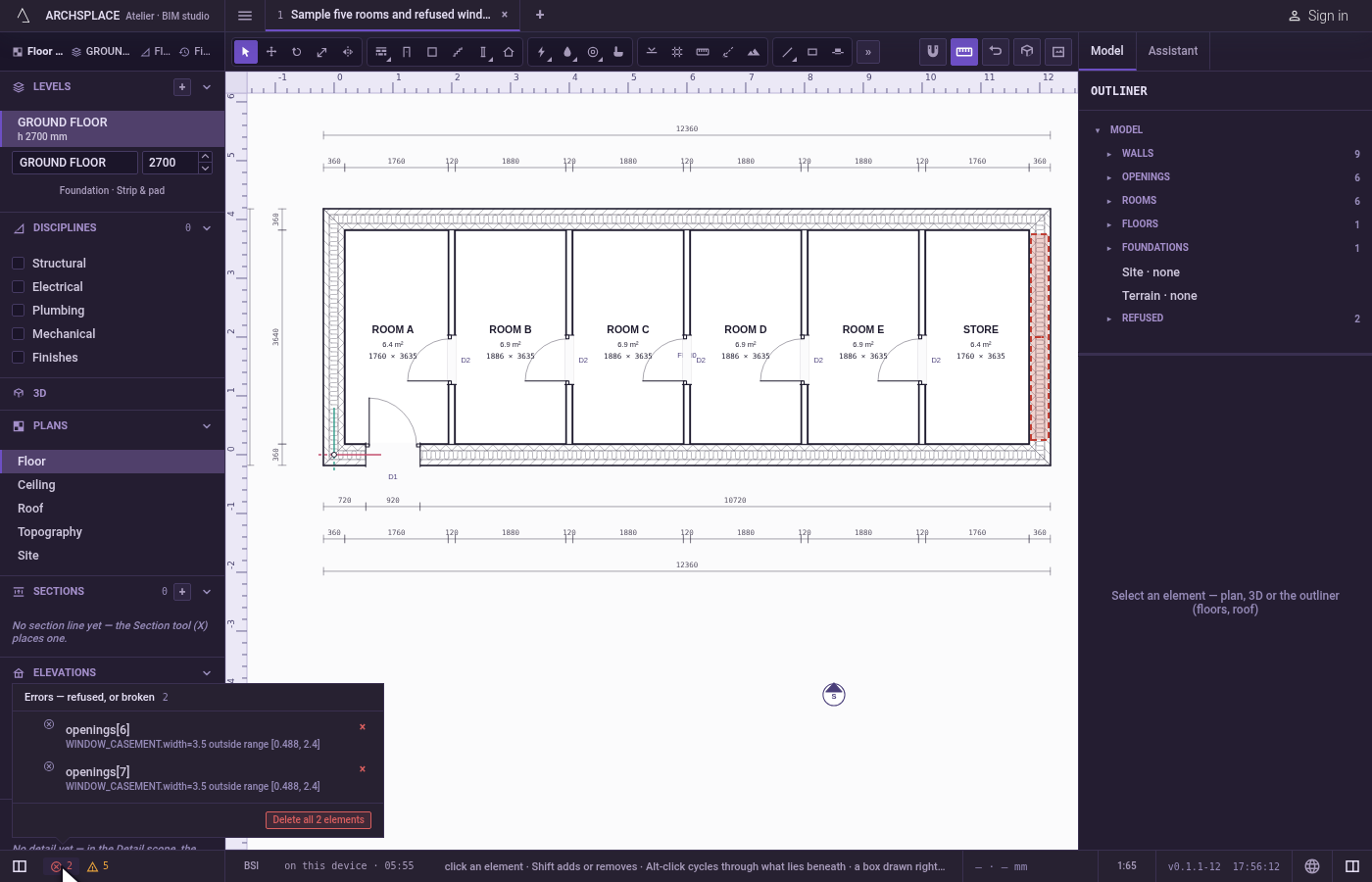
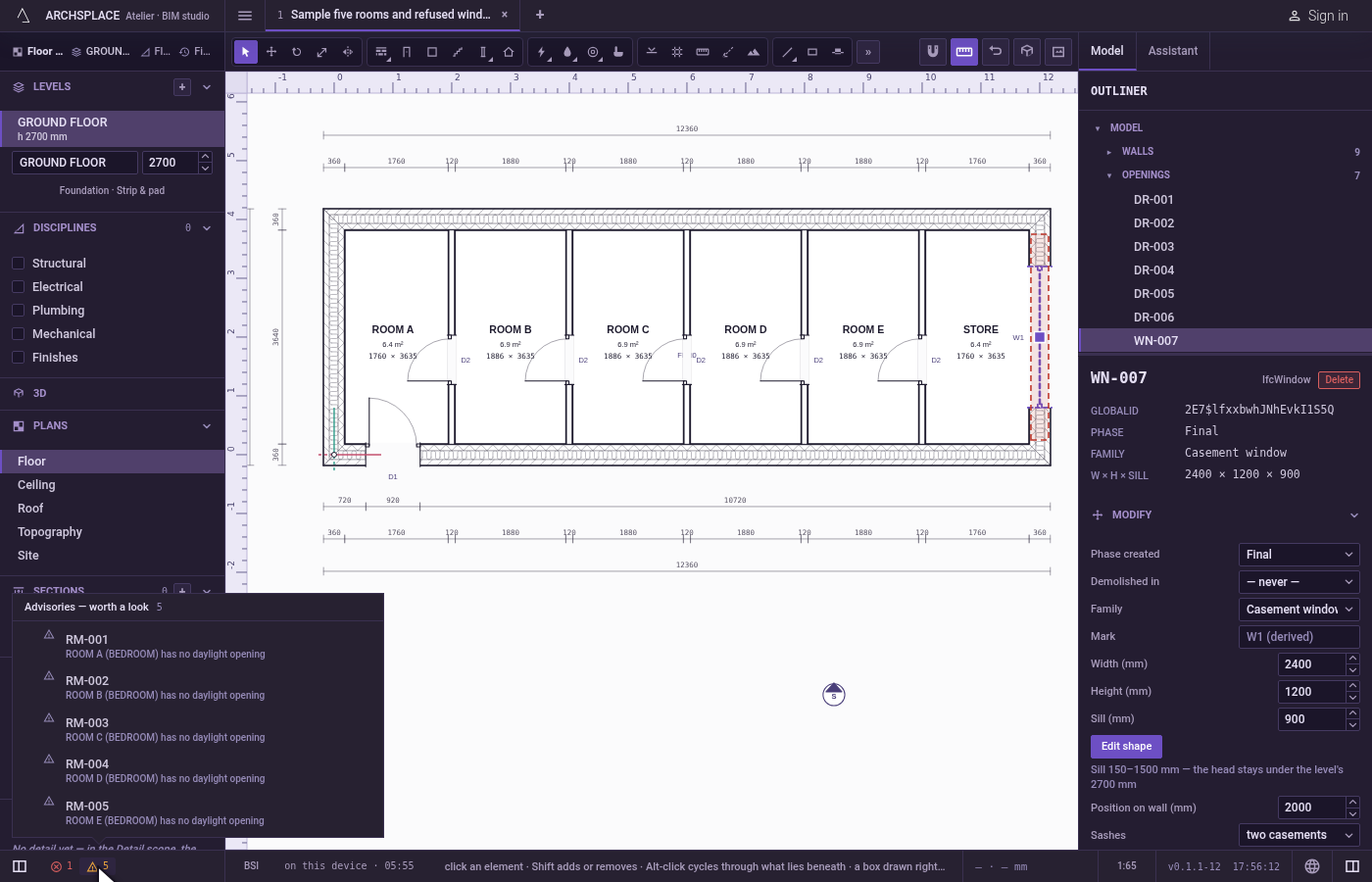
A click on a figure opens its list, Errors or Advisories, with the count. Each finding is a row: the element it is about, by its reference, and what is wrong with it, in your language. A click on a row shows the element: it is selected, and a view that draws it opens, framed on it. An element the build refused is selected in the outliner's Refused group, where its panel lets you repair it.
On an error, a × offers Delete the offending element; when the list holds several errors, Delete all and their count stands at its head. On a finding the atelier can resolve itself, a few left by a file of an older shape, the × offers Resolve it in the file instead. Advisories have no × otherwise: they inform.
When an edit makes the build refuse something new, a toast says so at once, naming the element and the reason.
When to use it
- Checking a project before handing it on.
- Finding why an opening, a stair or a footing is not drawn.
- Reading what the standard's rules say about the design, such as a stair's comfort.
- Opening a file from someone else, and seeing what it holds that does not build.
The steps
Read the counts. Look at the status bar's left: a red 2 and a quiet 5.
Open the errors. Click the red 2. The Errors list opens: two rows, each with its element and its reason.
Show one. Click the first row. Its element is selected, and a view that draws it opens, framed on it, or the outliner's Refused row when the build refused it.
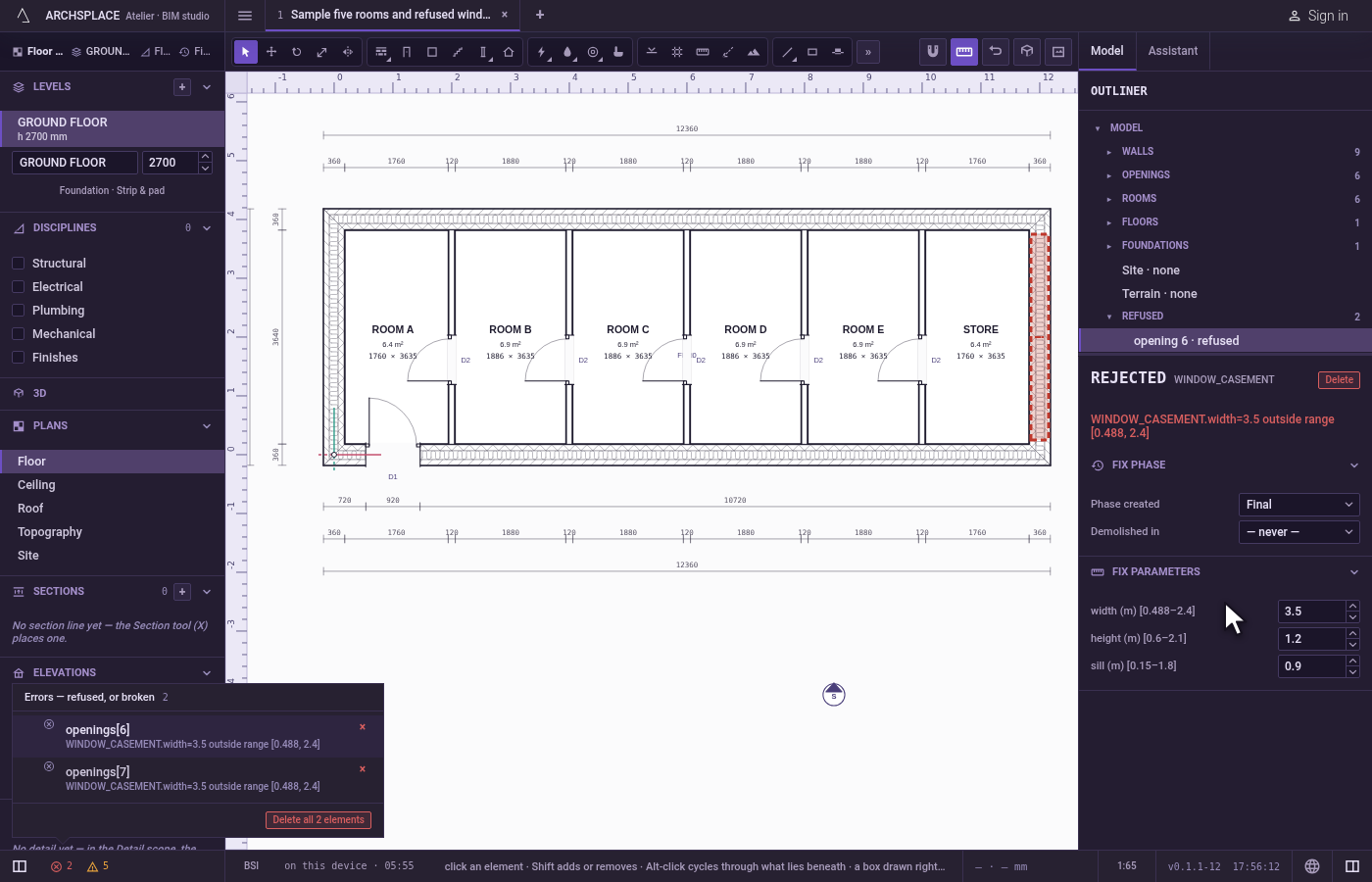
Repair it. Change the element in its panel so it meets the rule. Its finding leaves the list, and the count drops.
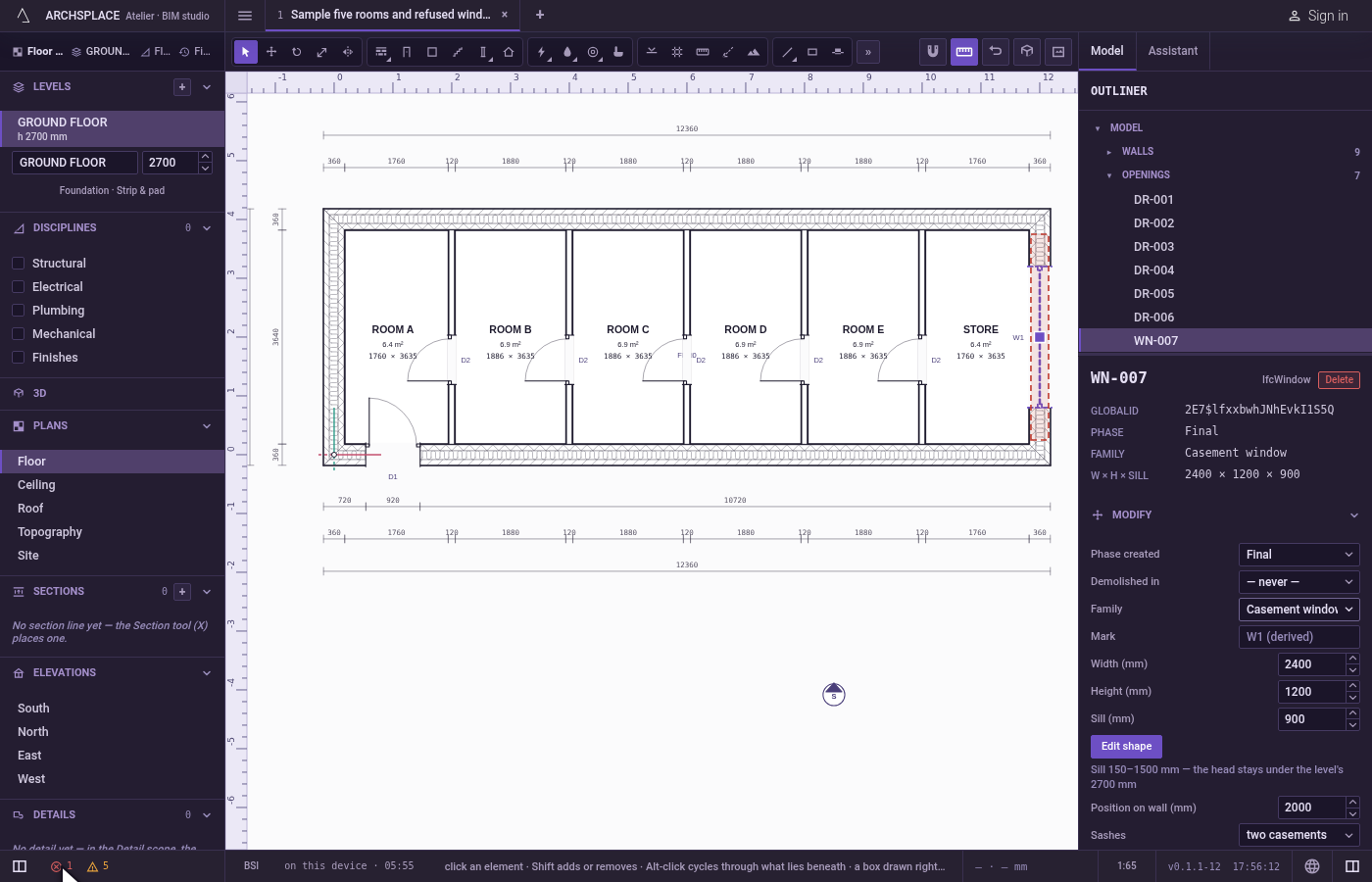
Read the advisories. Click the quiet 5. Each advisory says what is worth a look.
What it refuses
- Repairing behind your back. A refused element is kept as written and listed, never changed or dropped by the atelier.
- Showing an element that was never built. When the finding names nothing the model holds, a toast says it was refused by the build and there is nothing to select.
- Deleting from an advisory. An advisory has no ×, unless the atelier can resolve it in the file.
What it writes to the contract
Reading and clicking findings writes nothing: they are worked out each time the model is built. Delete the offending element and Delete all take those elements out of the contract, and Resolve it in the file writes its fix. Each is one step that one Ctrl+Z takes back.
Common questions
Where do I see what is wrong in my model?
In the status bar, at the left: a red count for the errors and a quiet one for the advisories. A click on a count lists its findings, each naming its element and saying why. A tick and no findings means there is nothing to report.
What is the difference between an error and an advisory?
An error is something the build refused, or the audit found broken. An advisory is worth a look but refuses nothing, such as a stair narrower than the standard's comfort width.
Does the atelier fix my errors for me?
No. A refused element is kept as it was written, listed under Refused in the outliner, so you can repair it in its panel. Only a few findings left by a file of an older shape can be resolved by the atelier, and only when you click their ×.