SketchMIIin the studio
Mirror
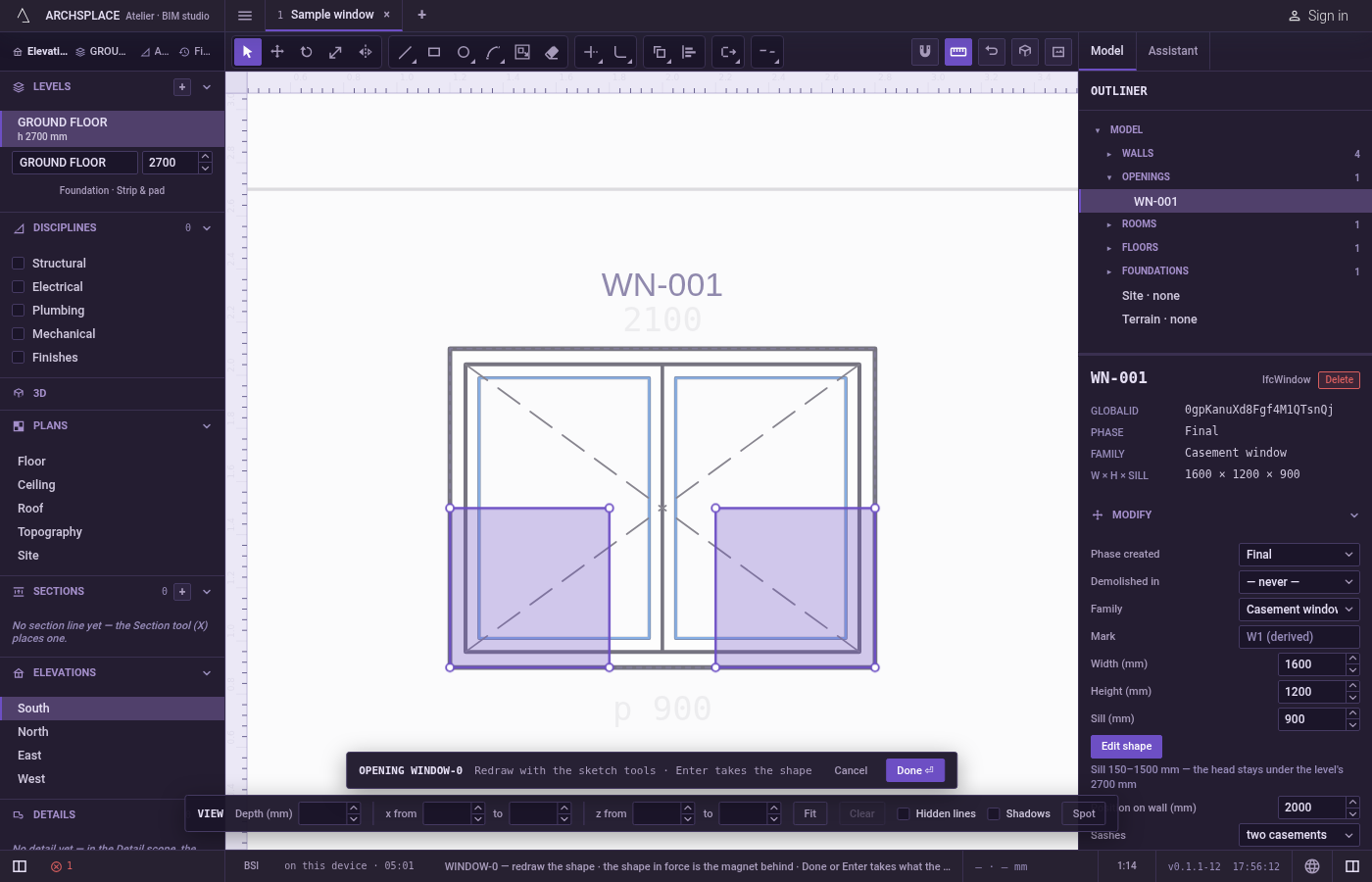
Mirror flips the lines and corners you hold in the sketch editor across a line you set with two clicks. By default the flipped drawing replaces the original; hold Ctrl on the second click to keep the original and add its mirror image.
What it is
Mirror flips what you hold in the sketch editor across a line, the mirror line, which you set by clicking two points on it. Every point lands at the same distance on the other side, and every arc bends the other way. With nothing in hand, the whole drawing flips.
By default the mirror image replaces the original. Holding Ctrl (⌘ on a Mac) on the second click keeps the original and adds the mirror image beside it.
When to use it
- Drawing a symmetric shape from one half, such as the two sides of a pointed arch.
- Turning a shape around so it faces the other way.
The steps
Choose what to mirror. In the sketch editor (see Select for the ways in), take the lines and corners you want with Select, or take nothing to flip the whole drawing.
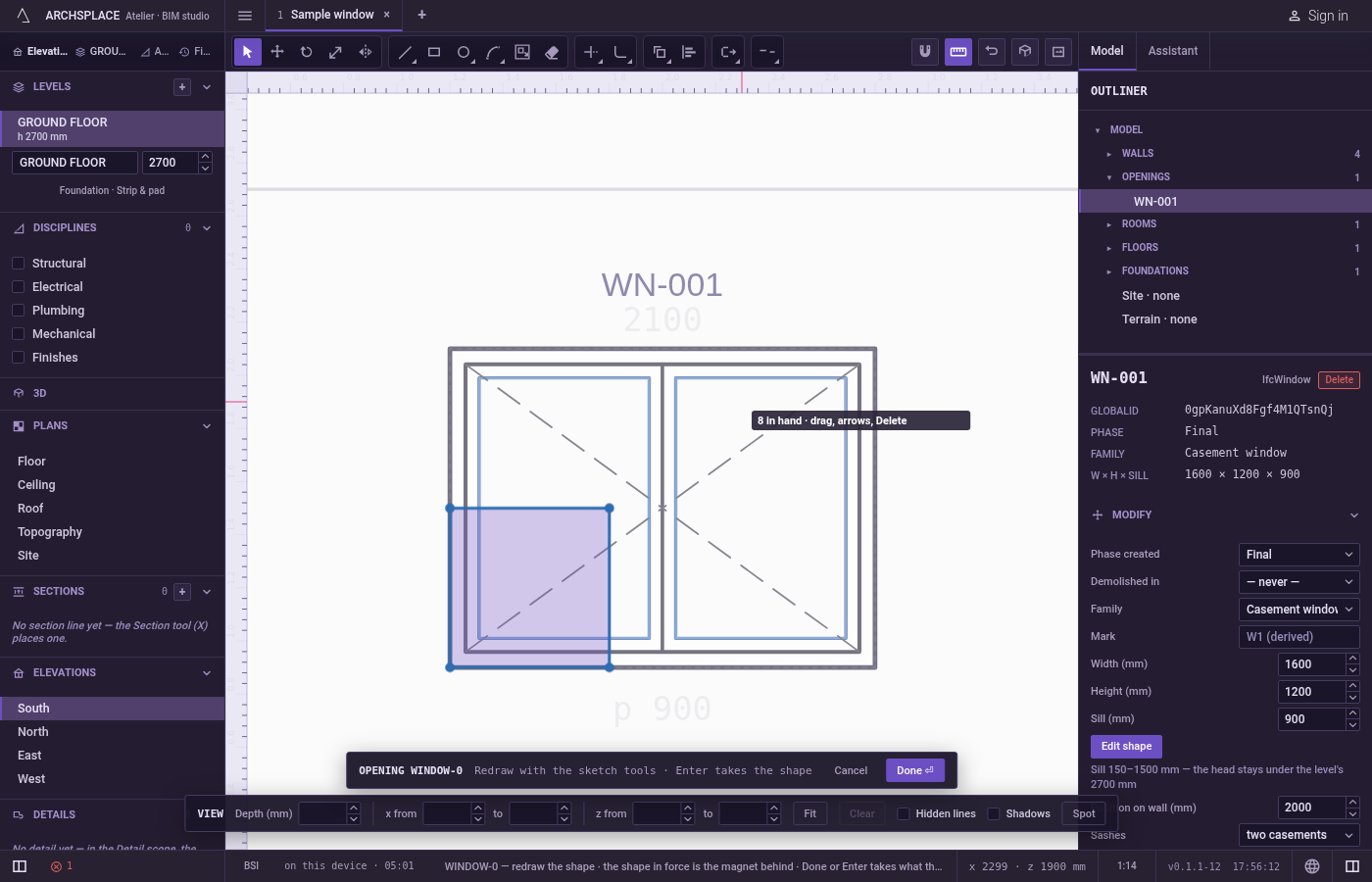
Arm Mirror. Press
I, or typeMthenIquickly, or click Mirror on the editor's toolbar. The hint at the cursor says first point of the axis · Ctrl keeps the source.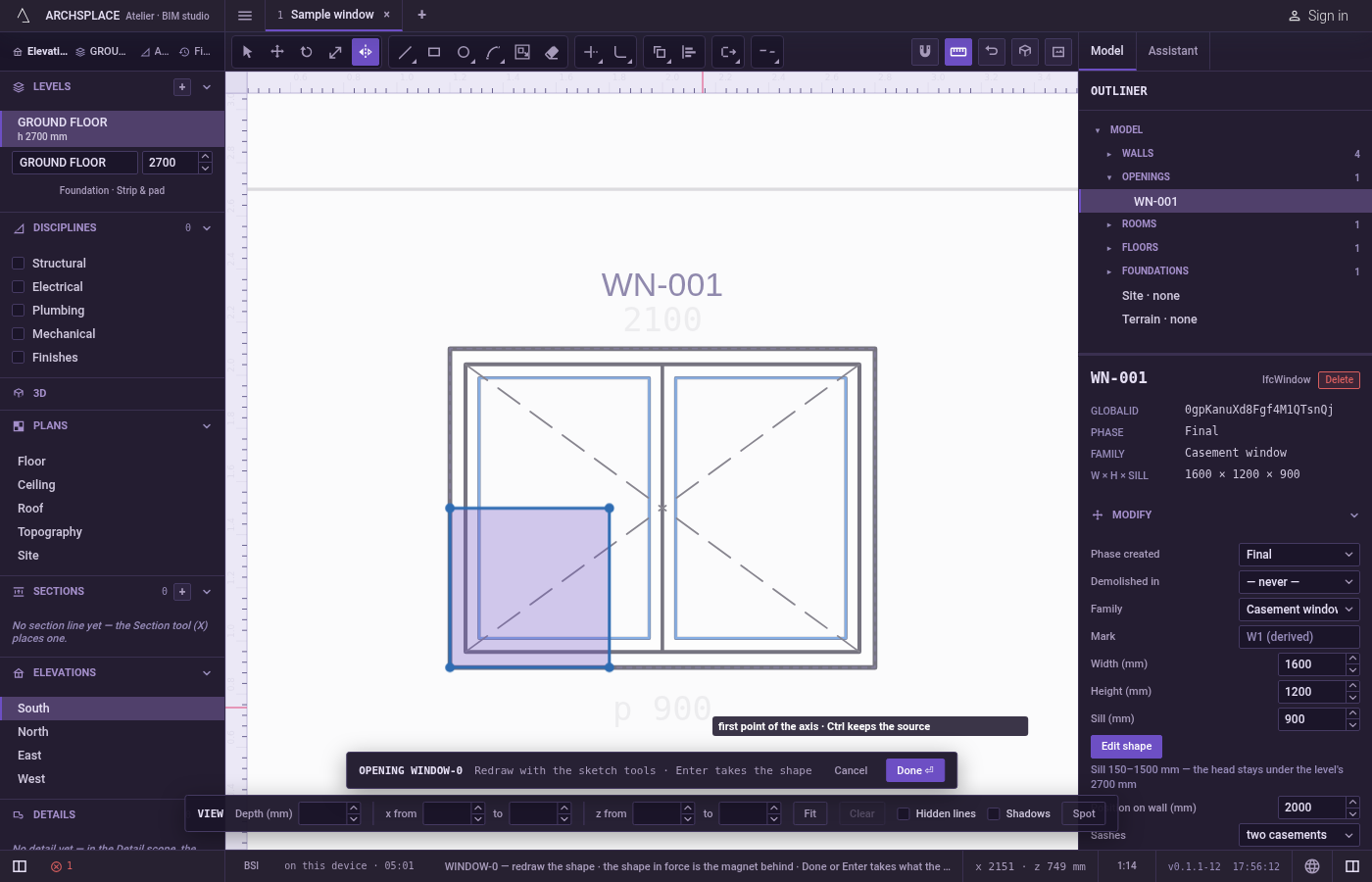
Click the first point of the mirror line. It snaps to corners, middles, crossings, the dimmed shape in force and the lines of the view. The middle of a line is a good point for an axis of symmetry.
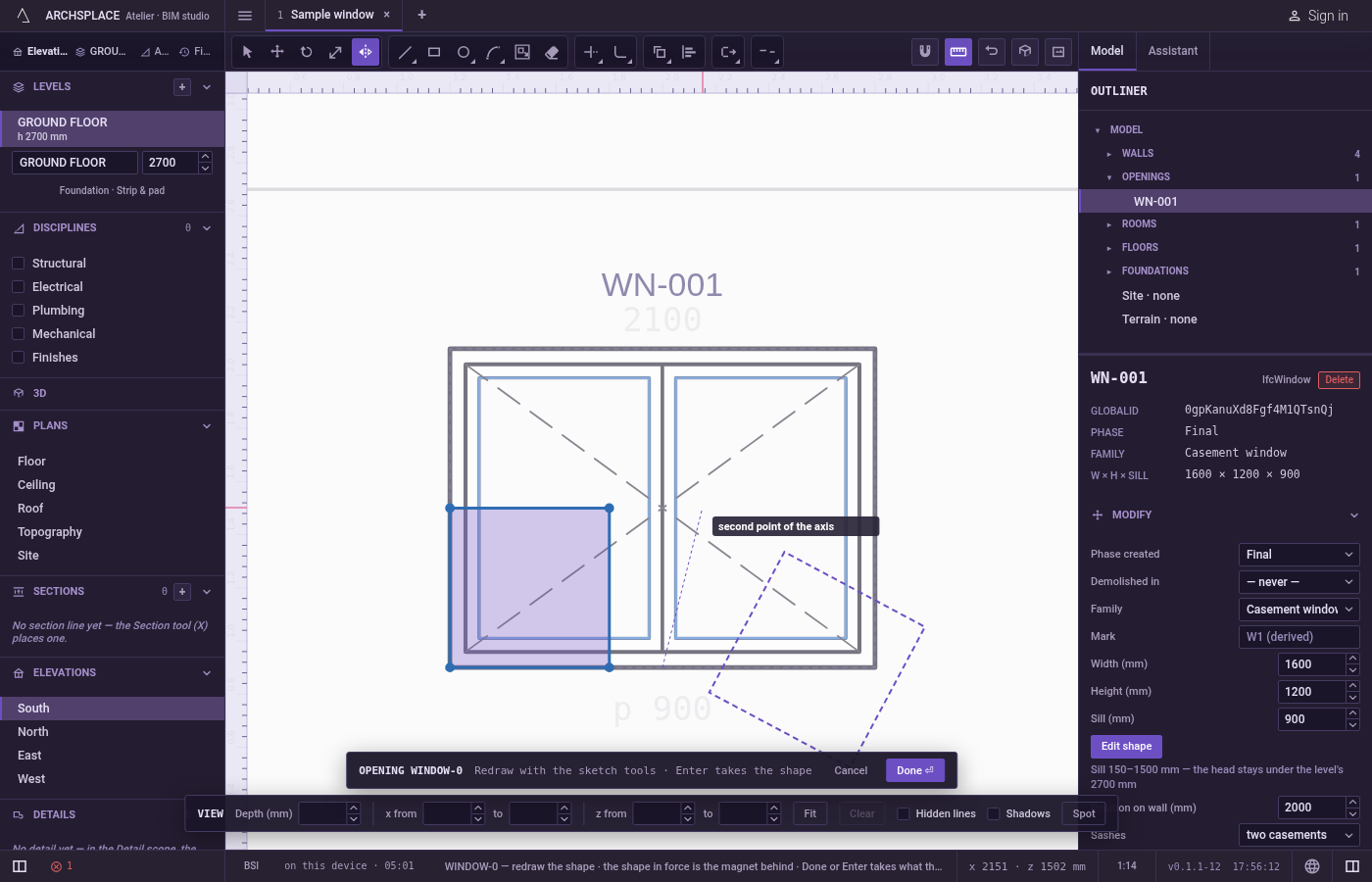
Click the second point. A preview of the mirror image follows the pointer, with the mirror line drawn. Click to flip it, holding
Ctrlto keep the original. You can also press at the first point, drag along the axis and release at the second.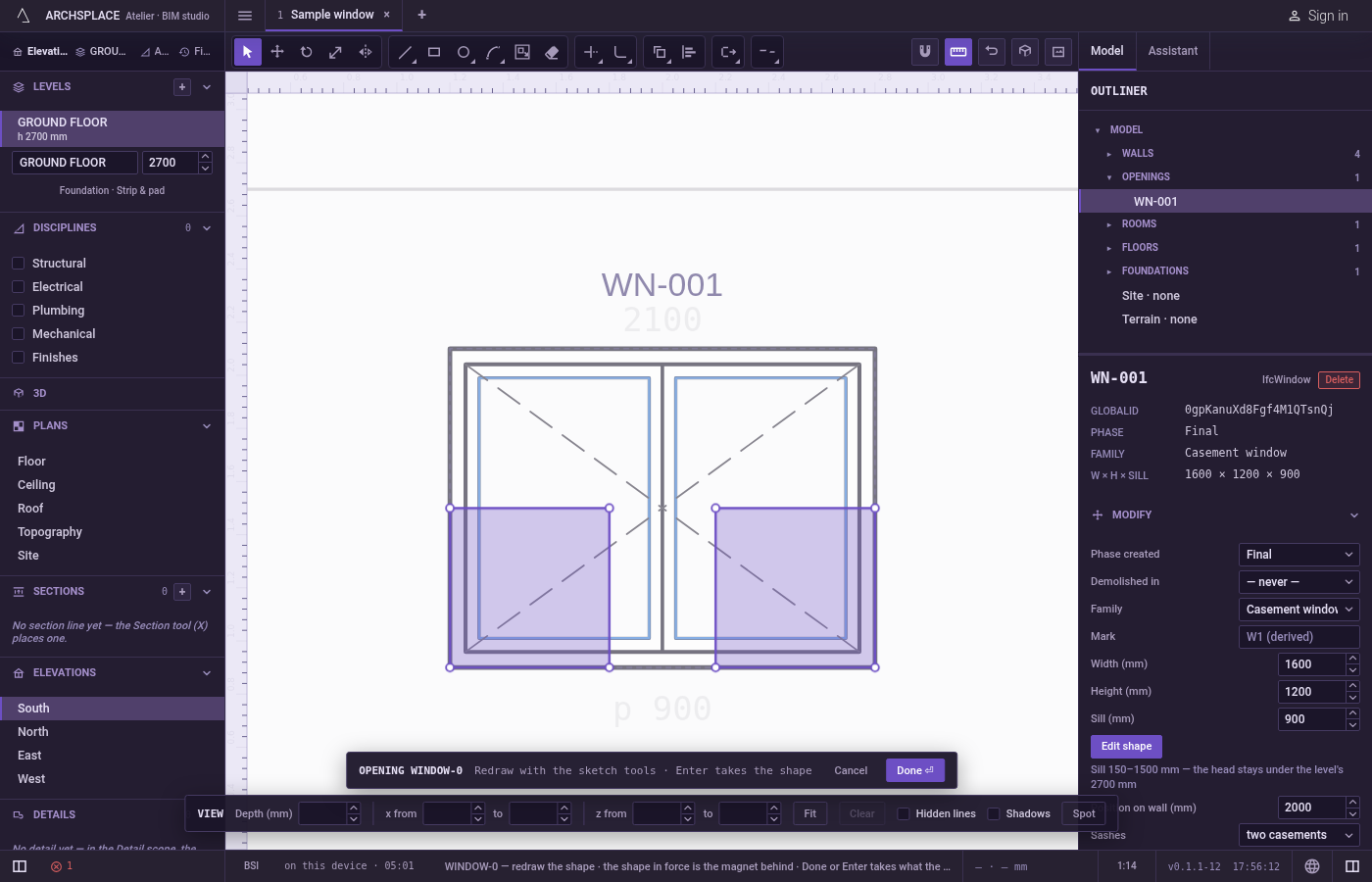
Carry on. Once flipped, the editor goes back to Select and lets go of what was held.
What it refuses
- A mirror line of no length. A second click on the first point does nothing; the tool waits for another point.
- A typed value. Mirror takes no number. The line is always set by two points.
- The shape in force. The dimmed shape behind your drawing is never flipped.
- A clean copy of part of an outline. With
Ctrl, the copy carries the whole outline that holds what you selected, with only the selected corners flipped. Select every line of the shape before you mirror a copy of it. - A bend on a curve with one end flipped. A curve keeps its bend only when both its ends move. With only one end in hand, that side comes out straight.
Escape drops the first point, then lets go of what is held; with nothing left it closes the editor and drops the drawing.
What it writes to the contract
Nothing until you press Done. The mirror changes only the drawing inside the editor, where Ctrl+Z steps back through it. The contract changes when you press Done, or Enter with nothing in progress, as one step you can undo: what the lines enclose becomes the window's or door's profile, points [u, v] in metres across the wall and up from the floor, or the pattern area's outline in the room's floorAreas or ceilingAreas, points [x, y] in plan metres.
A mirrored arc keeps its size and changes the sign of its bulge, the third number on its starting point, so it bends the other way. The outline handed over at Done always runs anticlockwise, whichever way the mirror left it.
Common questions
Does Mirror keep the original?
Not by default: the flipped drawing takes its place. Hold Ctrl (Command on a Mac) when you click the second point of the mirror line to keep the original and add the mirror image.
How do I draw a symmetric shape?
Draw one half, select it, press I, then click two points on the axis of symmetry with Ctrl held on the second. Done reads what the lines enclose, so two halves that meet on the axis already give one outline.
Do arcs stay correct after a mirror?
Yes. Each arc bends the other way, as a mirror image should, and keeps its radius.