PlanAOin the studio
Outdoor unit
Outdoor unit places the air conditioning's unit outside, with one click on an external wall; once the phase has one, a click moves it there. Every indoor unit's refrigerant pipework and condensate then run to the nearest outdoor unit by themselves.
What it is
The outdoor unit is where the air conditioning's pipework goes. Its tool places it once and then moves it: the first click on a wall places it, and every click after that moves the outdoor unit of the phase you are drawing in to the wall you click. Held with Ctrl, a click adds another one. The unit is your template's own, such as an 8 kW outdoor unit in a project under the UK template.
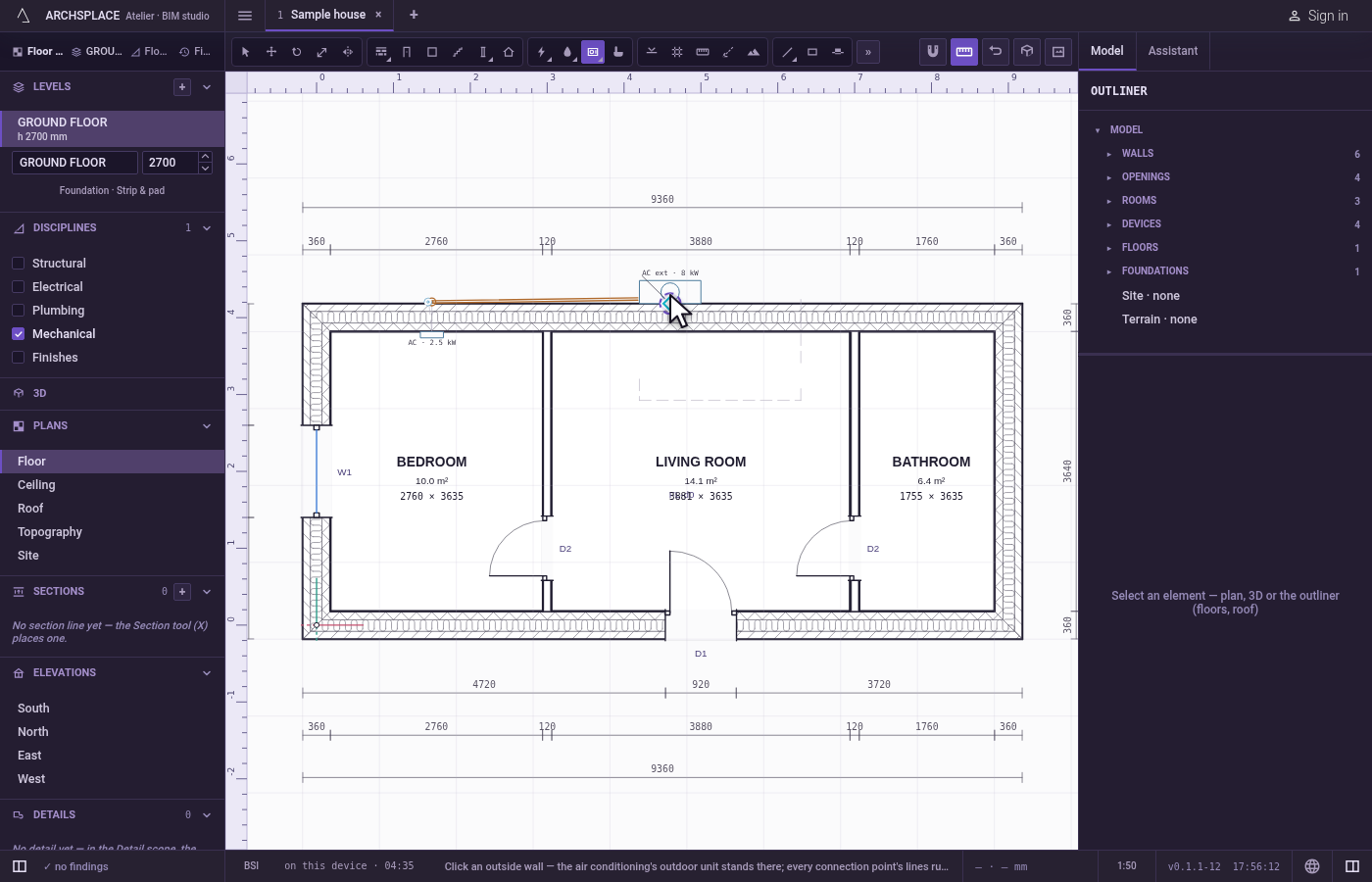
Every indoor unit, whether a wall-mounted split unit, a ceiling cassette or a ducted unit, is served by the nearest outdoor unit, each through its own refrigerant pipe pair and its own condensate. A unit on the same facade goes straight through the wall behind it; any other crosses its level's ceiling void to the outdoor unit's wall, passes through it and runs down the facade. None of it is stored: move the outdoor unit and the pipework is laid again.
When to use it
- Placing the outdoor unit of a split air conditioning system on a facade.
- Moving it to another wall to shorten the pipe runs.
- Adding a second outdoor unit for a far wing of the house.
The steps
Take the tool. Type
AthenOquickly, or pick it on the toolbar, where it shares a button with the air terminal and the ventilation unit. The status bar says to click an external wall.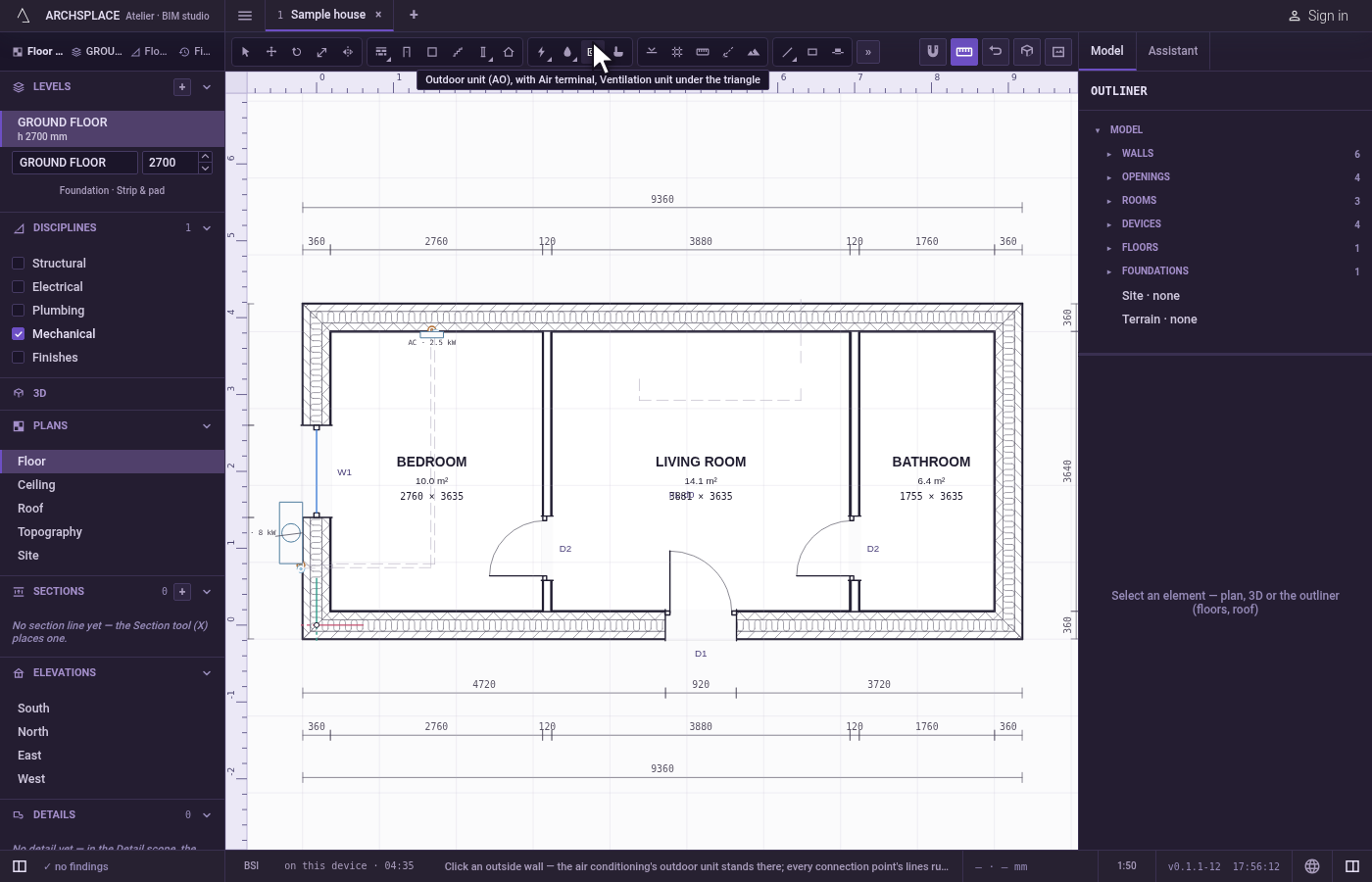
Click an external wall. Click on the wall or within about 60 cm of it, on the outer side. With no outdoor unit yet in this phase, it is placed there. With one or more, the nearest one on this level moves there (the first one, if none is on this level), and all the pipework follows.
Add another, with Ctrl. Hold
Ctrl(⌘on a Mac) as you click: a new outdoor unit is placed.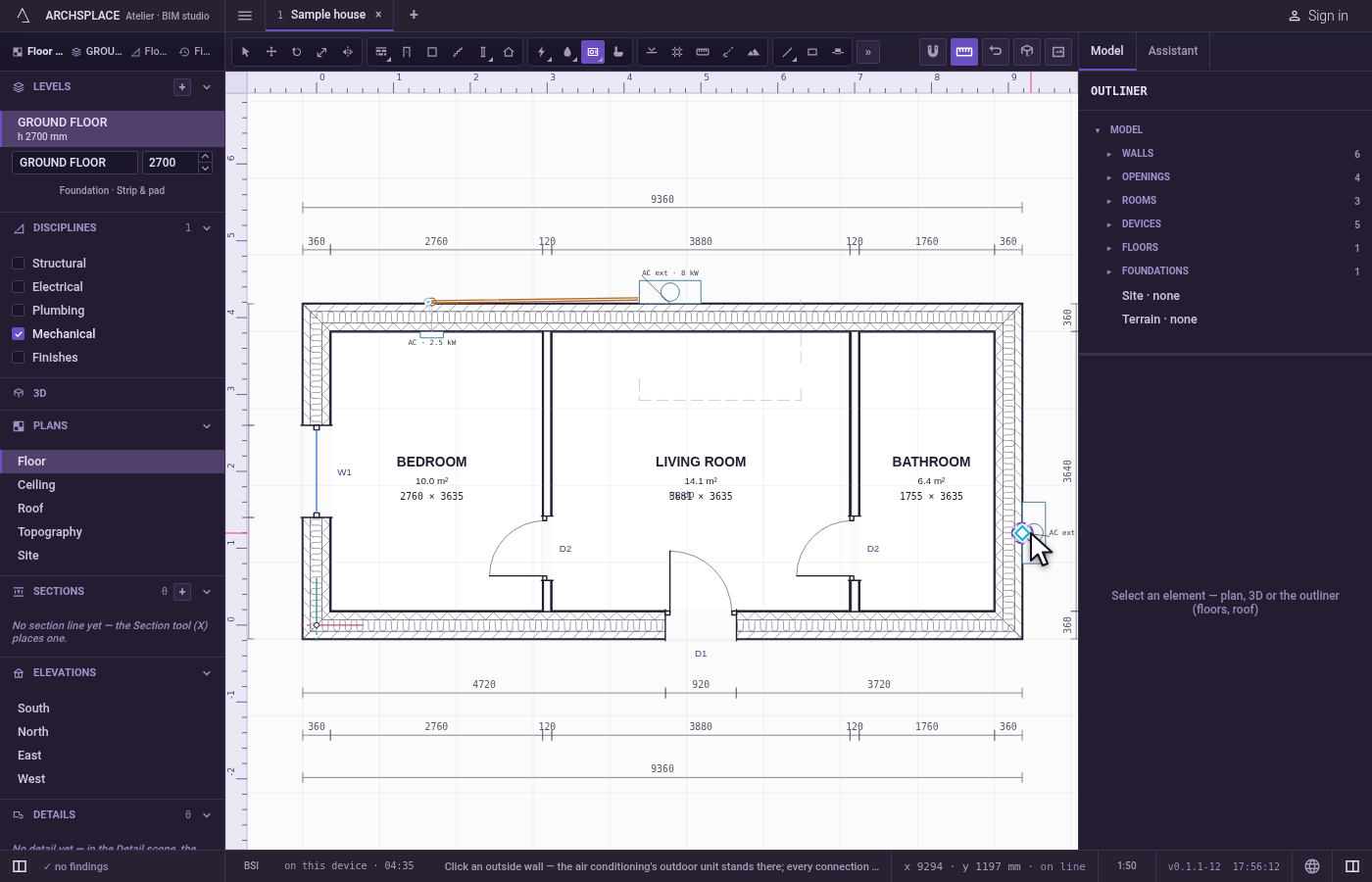
What it refuses
- A click far from every wall. Farther than about 60 cm from any wall, nothing is placed or moved.
- Nothing about the wall's side. The tool does not check that the wall you click is an external one: make sure it is.
What it writes to the contract
One step, which one undo takes back. The first unit, and every unit added with Ctrl, adds one device entry: the outdoor unit kind, its wall, its distance along it and its face, and its phase. A move changes only the moved unit's wall, distance and face. The pipework, its sizes and the condensates are never written: they are worked out each time the project is built.
Concepts
Common questions
How are the indoor units connected to the outdoor unit?
Each indoor unit is served by the nearest outdoor unit, through its own refrigerant pipe pair and its own condensate, laid through the ceiling void and the wall and down the facade to the unit.
Can a house have two outdoor units?
Yes. Hold Ctrl (Command on a Mac) as you click to add another. Each indoor unit is then served by the nearest one.