SketchROQin the studio
Rotate
Rotate turns the lines and corners you hold in the sketch editor about a centre, by the angle between a reference direction and a second direction you point at, or by degrees you type. With nothing in hand it turns the whole drawing, and Ctrl on the last click keeps the original.
What it is
Rotate turns what you hold in the sketch editor about a centre point. The angle is the one between two directions from that centre: a reference you click first, then the direction you point at. You can type the angle in degrees instead. Curves keep their bend through the turn. With nothing in hand, the whole drawing turns.
Holding Ctrl (⌘ on a Mac) on the last click keeps the original in place and adds the turned copy.
When to use it
- Lining up a shape with an edge that is not square to the view, by clicking that edge as the target direction.
- Turning a whole outline by a known angle.
- Making a turned second outline from the first, with
Ctrlheld.
The steps
Choose what to turn. In the sketch editor (see Select for the ways in), take the lines and corners you want with Select, or take nothing to turn the whole drawing.
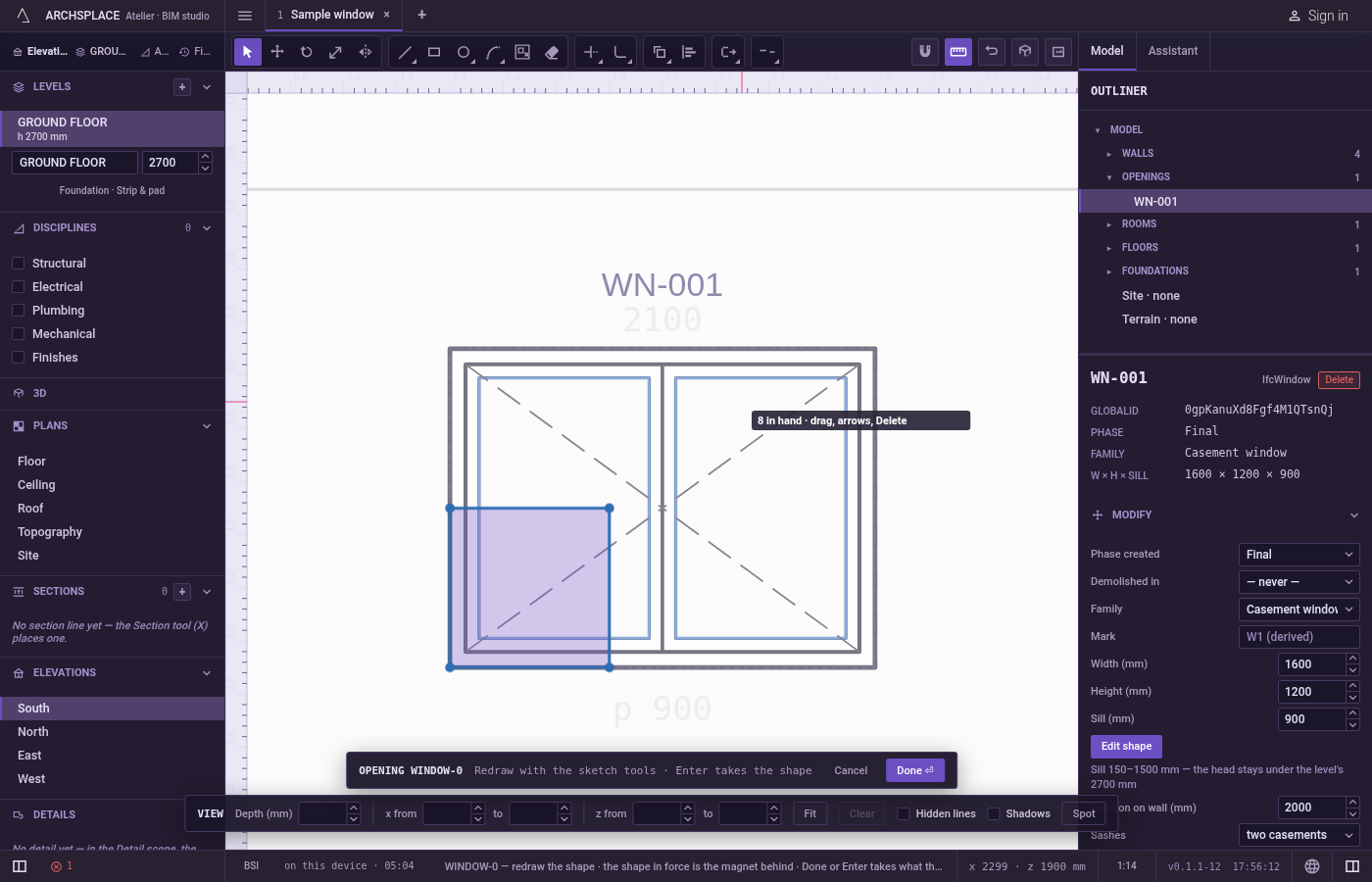
Arm Rotate. Press
Q, or typeRthenOquickly, or click Rotate on the editor's toolbar. The hint at the cursor says to click the centre, a reference, then the angle, or to type degrees.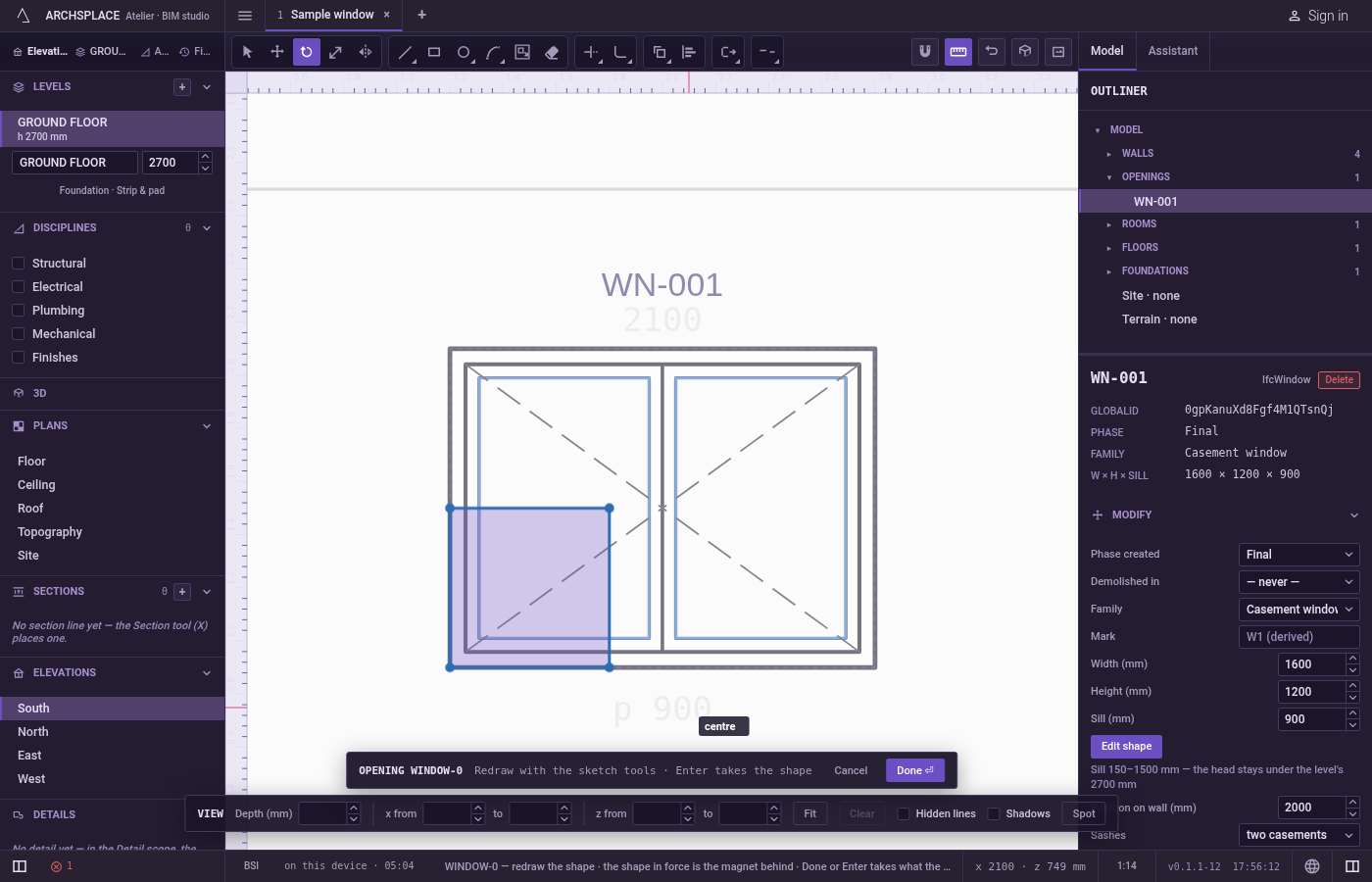
Click the centre. It snaps like every point of the editor: corners, middles, crossings, the dimmed shape in force and the lines of the view. The hint at the cursor says centre, then reference.
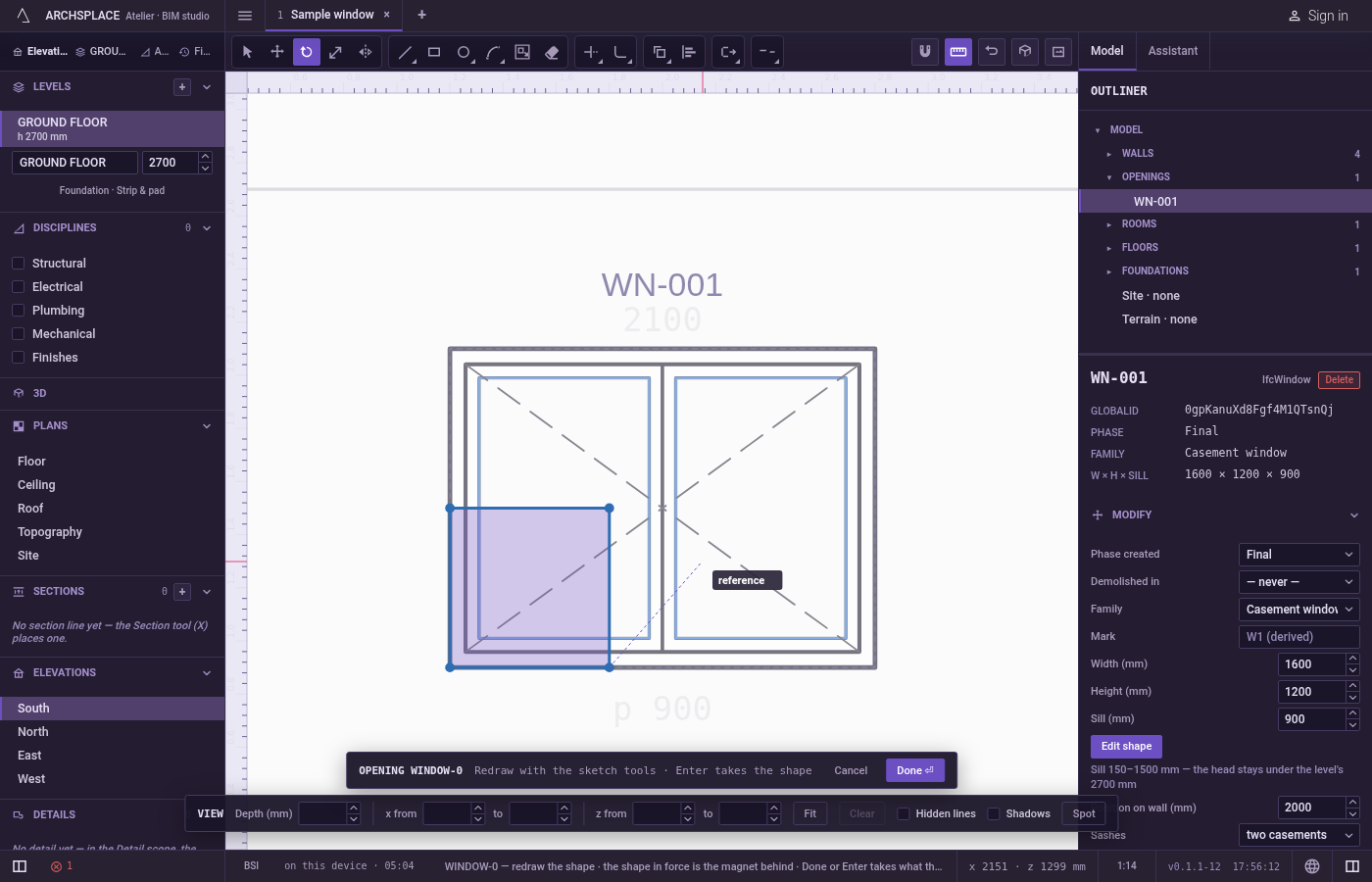
Click the reference. This point sets the direction the angle starts from. Clicking a corner of what you are turning is the usual choice.
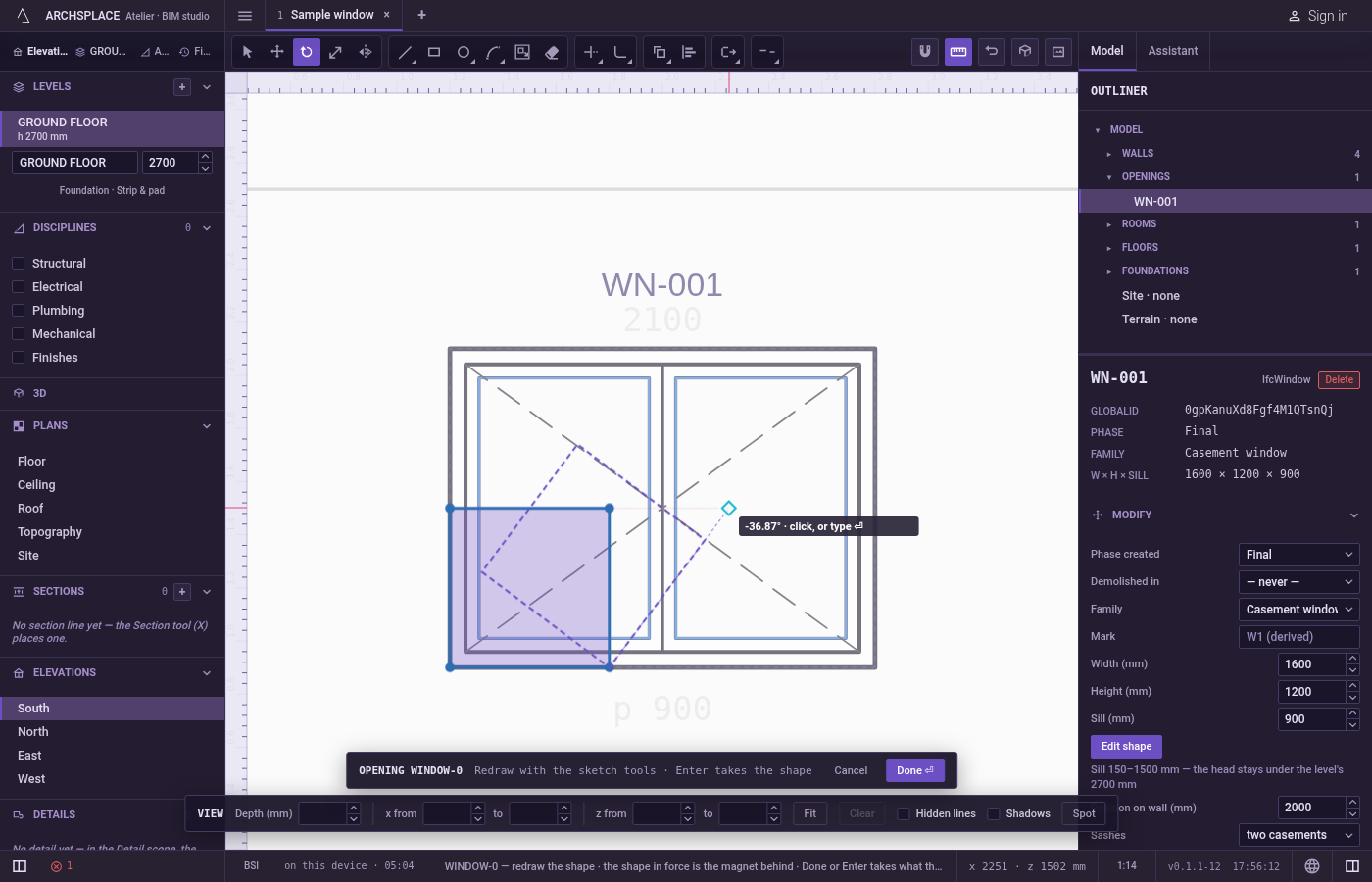
Click the new direction, or type degrees. A preview of the turned drawing follows the pointer and the hint shows the angle. Click to turn it, with
Ctrlheld to keep the original. Or type the angle in degrees and pressEnter: the drawing turns by exactly that much from where it stands, anticlockwise for a positive number on a plan.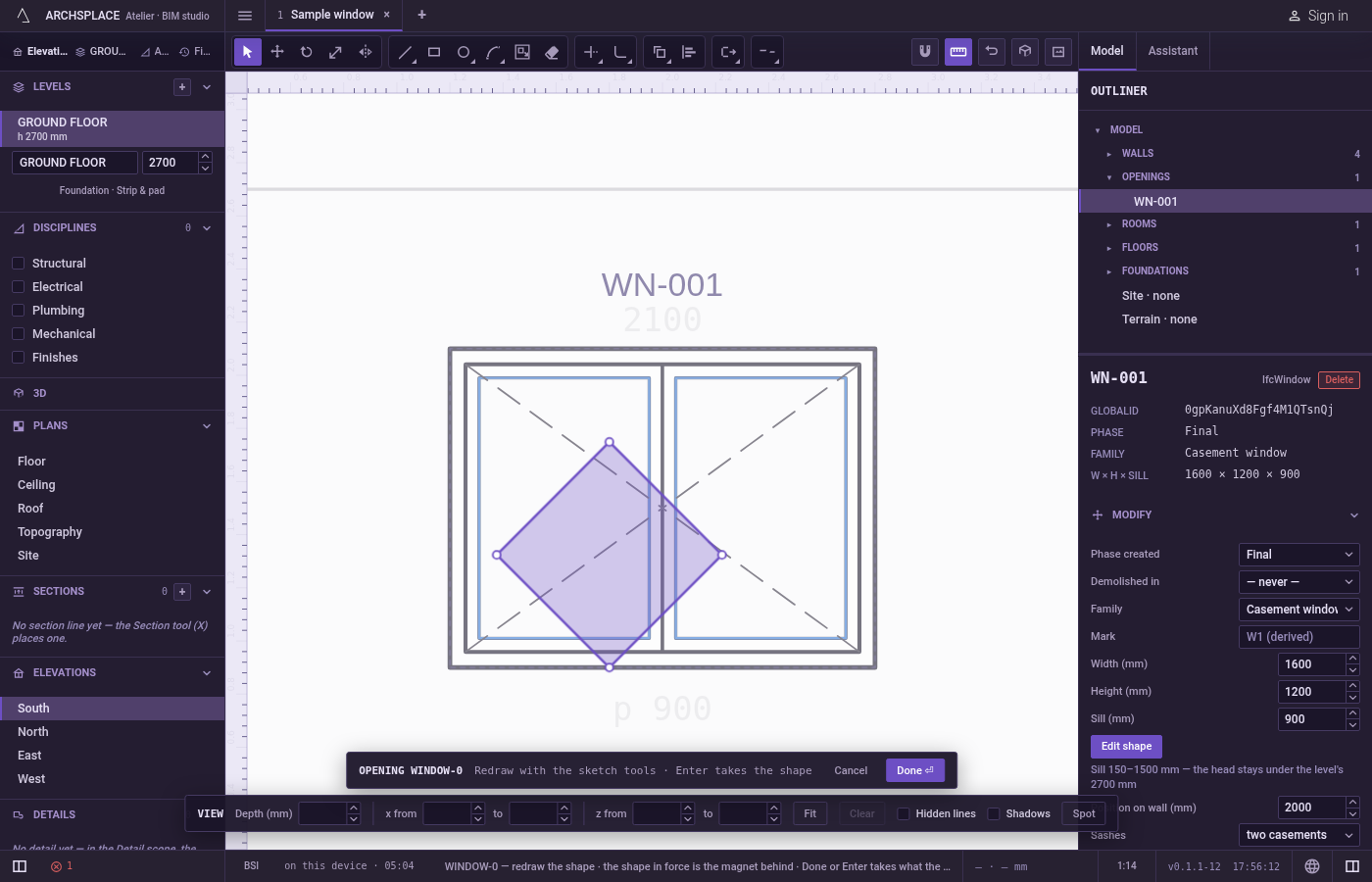
Carry on. Once turned, the editor goes back to Select and lets go of what was held.
What it refuses
- A reference on the centre. A second click on the centre itself does nothing; the tool keeps waiting for the reference.
- Degrees typed before the reference. Digits count once the centre is set, but the angle is only taken after the reference. Typed after the centre alone,
Enterdrops them and the tool waits for the reference. - A copy from a typed angle. A typed angle always turns the original.
- The shape in force. The dimmed shape behind your drawing never turns.
- A clean copy of part of an outline. A copy carries the whole outline that holds what you selected, with only the selected corners turned. Select every line of the shape before you copy it.
- A bend on a curve with one end turned. A curve keeps its bend only when both its ends move. With only one end in hand, that side comes out straight.
On a facade, the direction a positive angle turns on screen depends on which way the wall runs. Turn with the pointer when the direction matters. Escape drops the points given, then lets go of what is held; with nothing left it closes the editor and drops the drawing.
What it writes to the contract
Nothing until you press Done. The turn changes only the drawing inside the editor, where Ctrl+Z steps back through it. The contract changes when you press Done, or Enter with nothing in progress, as one step you can undo: what the lines enclose becomes the window's or door's profile, points [u, v] in metres across the wall and up from the floor, or the pattern area's outline in the room's floorAreas or ceilingAreas, points [x, y] in plan metres.
Every point taken is turned and rounded to the millimetre. A curve keeps its bulge, the third number on its starting point, so an arc stays the same arc after the turn.
Common questions
How do I turn my sketch by exactly 45 degrees?
Press Q, click the centre, click a reference point to set the starting direction, then type 45 and press Enter. Degrees can only be typed once the reference is set.
How do I keep the original and turn a copy?
Hold Ctrl (Command on a Mac) when you make the last click. A typed angle always turns the original and never copies.
Which way does a positive angle turn?
Anticlockwise as the shape's own frame reads it. On a plan that is anticlockwise on screen. On a facade it depends on which way the wall runs, so set the angle with the pointer when the direction matters: the preview shows the turn before you click.