Panels
Quote requests
A quote request sends a schedule's table to one supplier, asking for prices: the rows are frozen as they read that day, with the delivery date you want and a note of your own, and the message opens in your mail application. The project keeps every request, as a draft or as sent, and says how many rows read differently since.
What it is
A quote request starts from a schedule: Request a quote…, at the foot of the schedule's builder, opens the Quote request dialog for that schedule. It holds:
- Supplier: one of the project's suppliers, or New supplier, with its Name and its Email, and Add.
- Delivery by: the date you want the delivery.
- Note: your own words for the supplier.
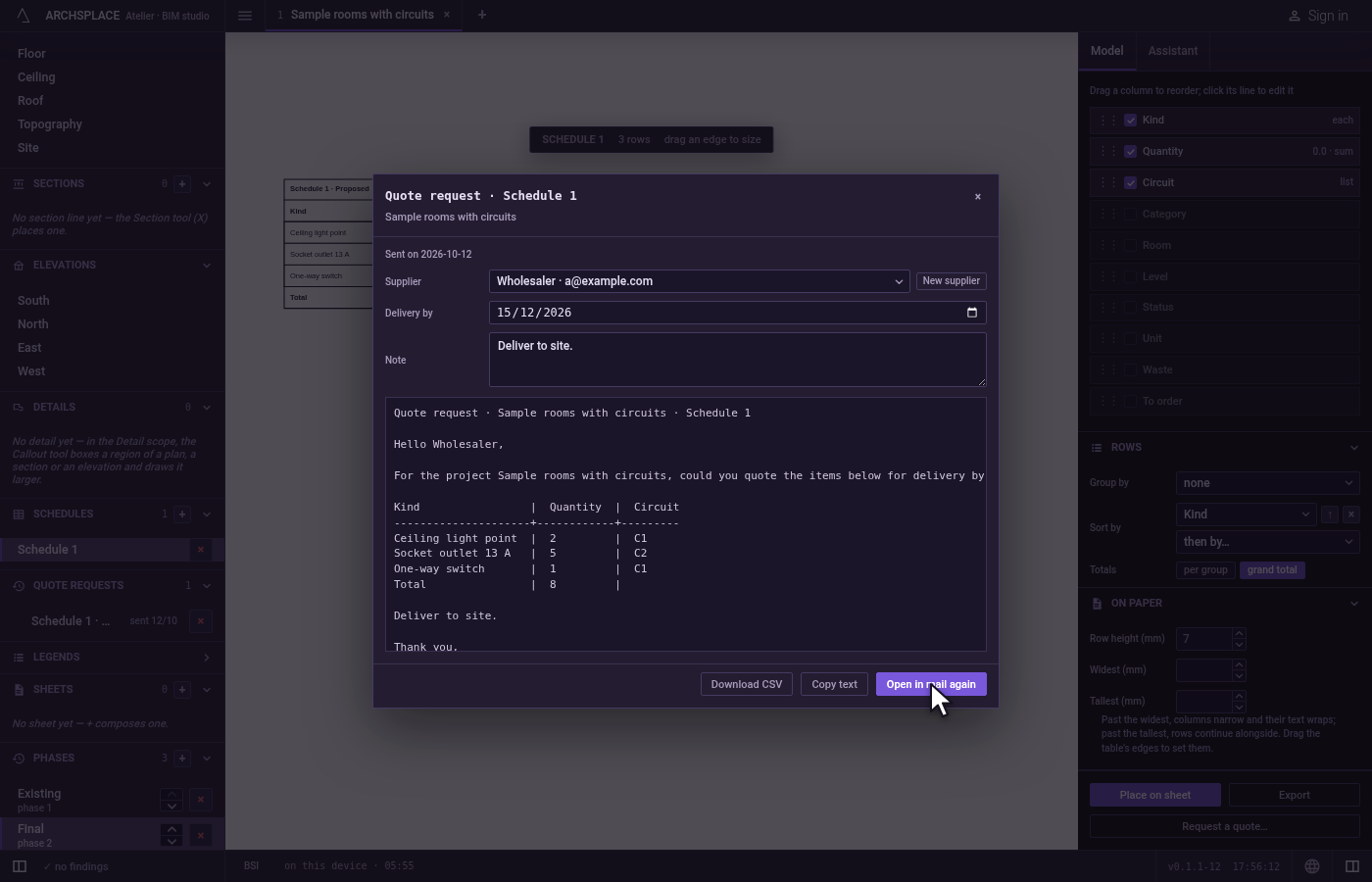
- The message as it will read: Hello and the supplier's name, the request to quote the items below for the project, for delivery by the date, the schedule's table as it reads today, your note, and the thanks.
Its verbs are Open in mail, which opens the message in your mail application addressed to the supplier, with the subject Quote request, the project and the schedule, and keeps the request as sent, dated today; Save draft; Copy text, which puts the message on your clipboard; and Download CSV, which writes the table as a file.
The project's requests are listed in the sidebar under Quote requests, each marked draft or sent with its date, with a × to remove it. A click opens it again. A request already sent says when it left, offers Open in mail again, and says how many of its rows read differently today.
When to use it
- Asking an electrical wholesaler to price the devices, the cable and the conduit.
- Asking a tile supplier to price the tiles a schedule counts.
- Keeping, in the project, what was asked of whom and when.
The steps
Open the schedule. Open the schedule of what you need, such as Electrical devices.
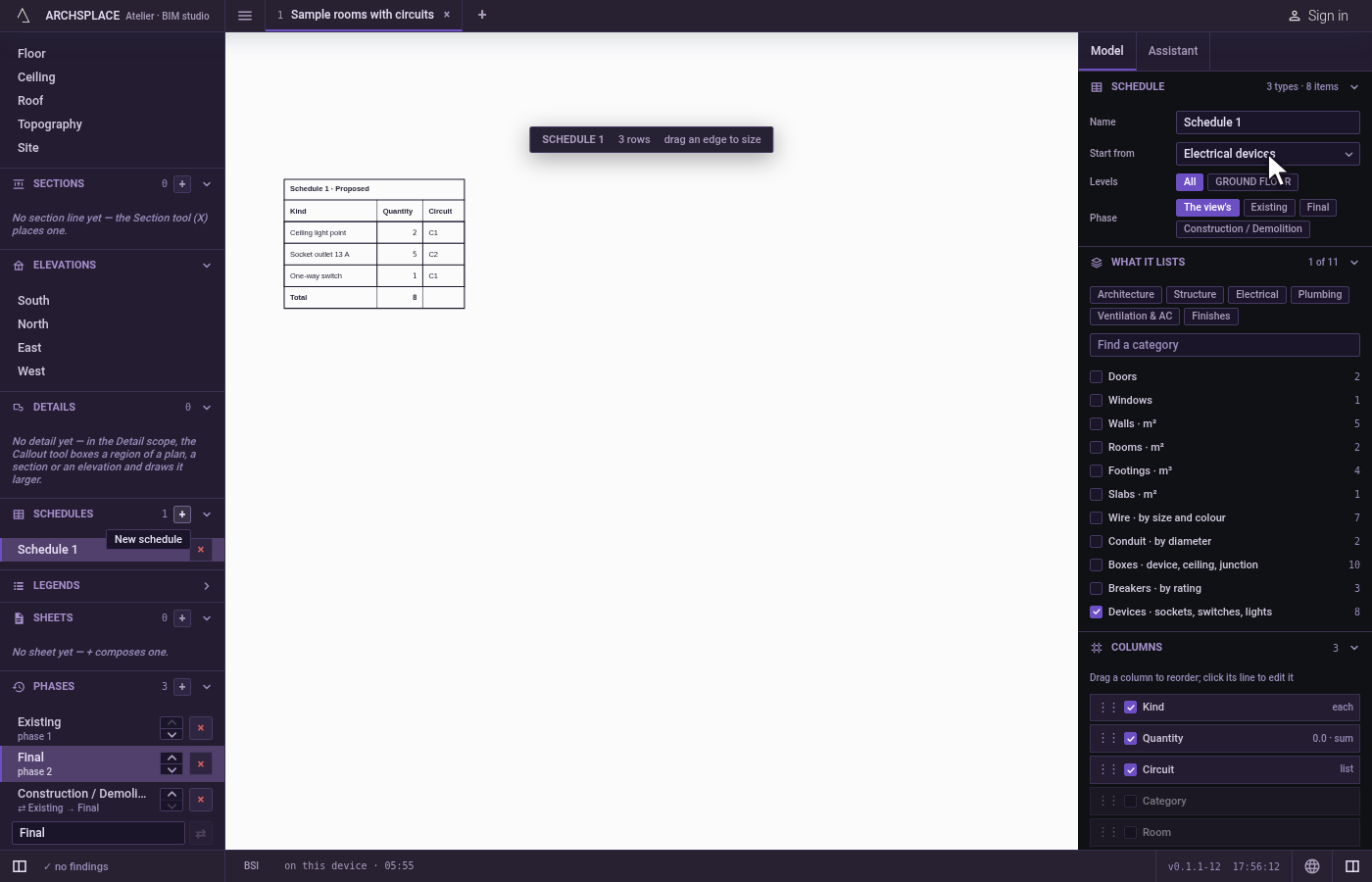
Ask for a quote. At the foot of its builder, click Request a quote…. The Quote request dialog opens with the schedule's table.
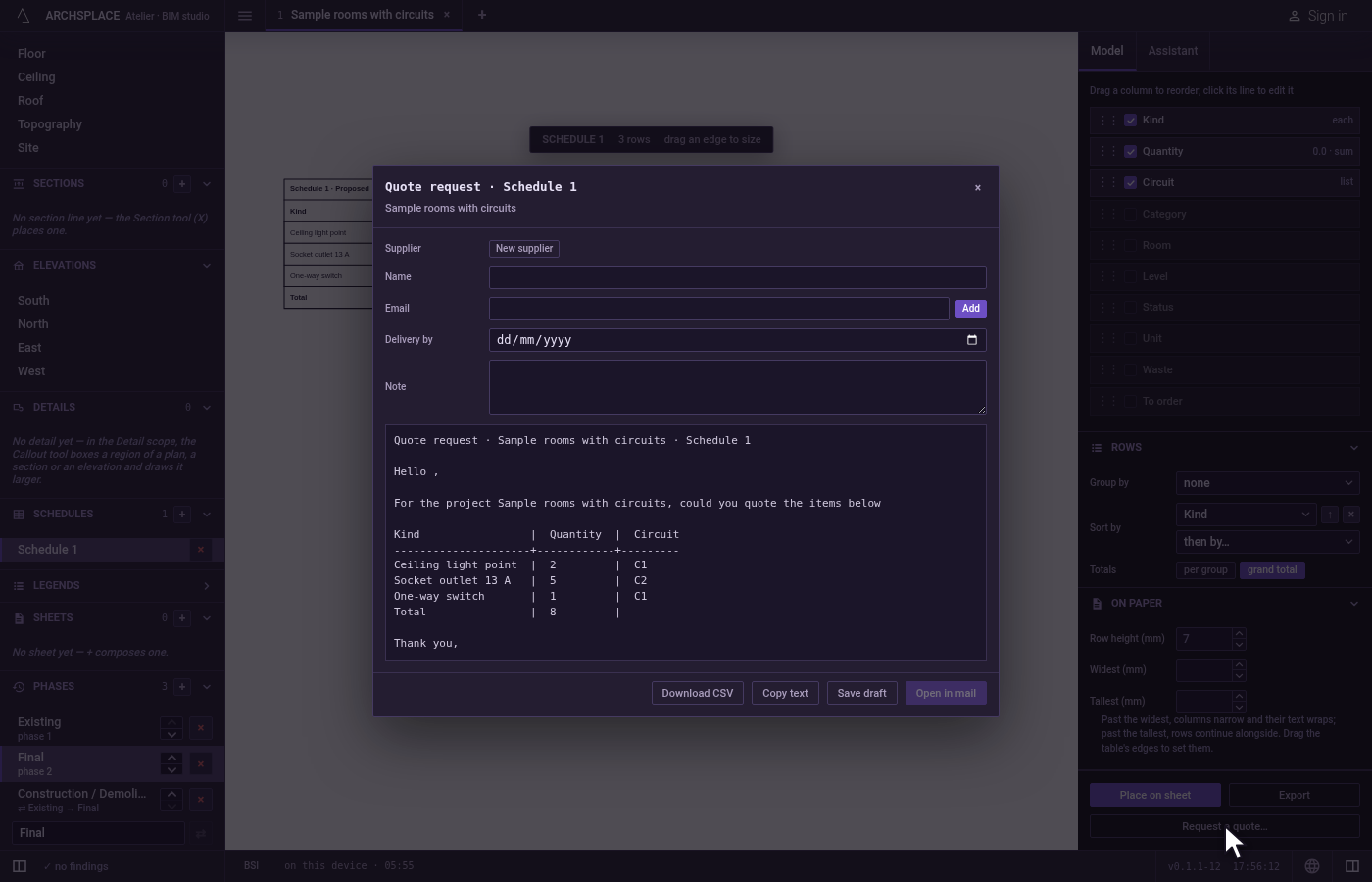
Add the supplier. If its form is not open under Supplier, click New supplier. Type its Name and its Email, and click Add.
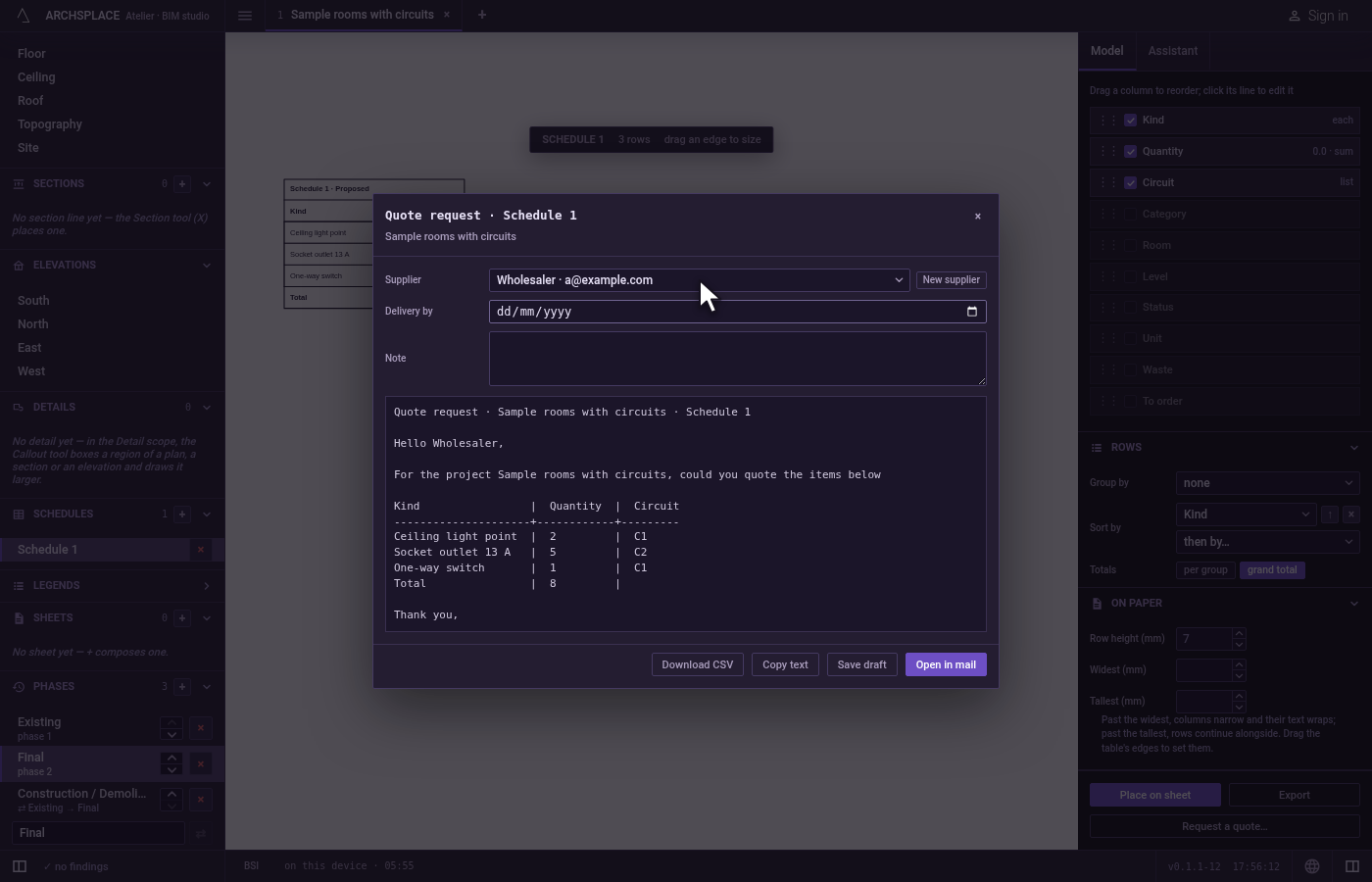
Set the delivery and a note. Choose a date in Delivery by, and type a note.
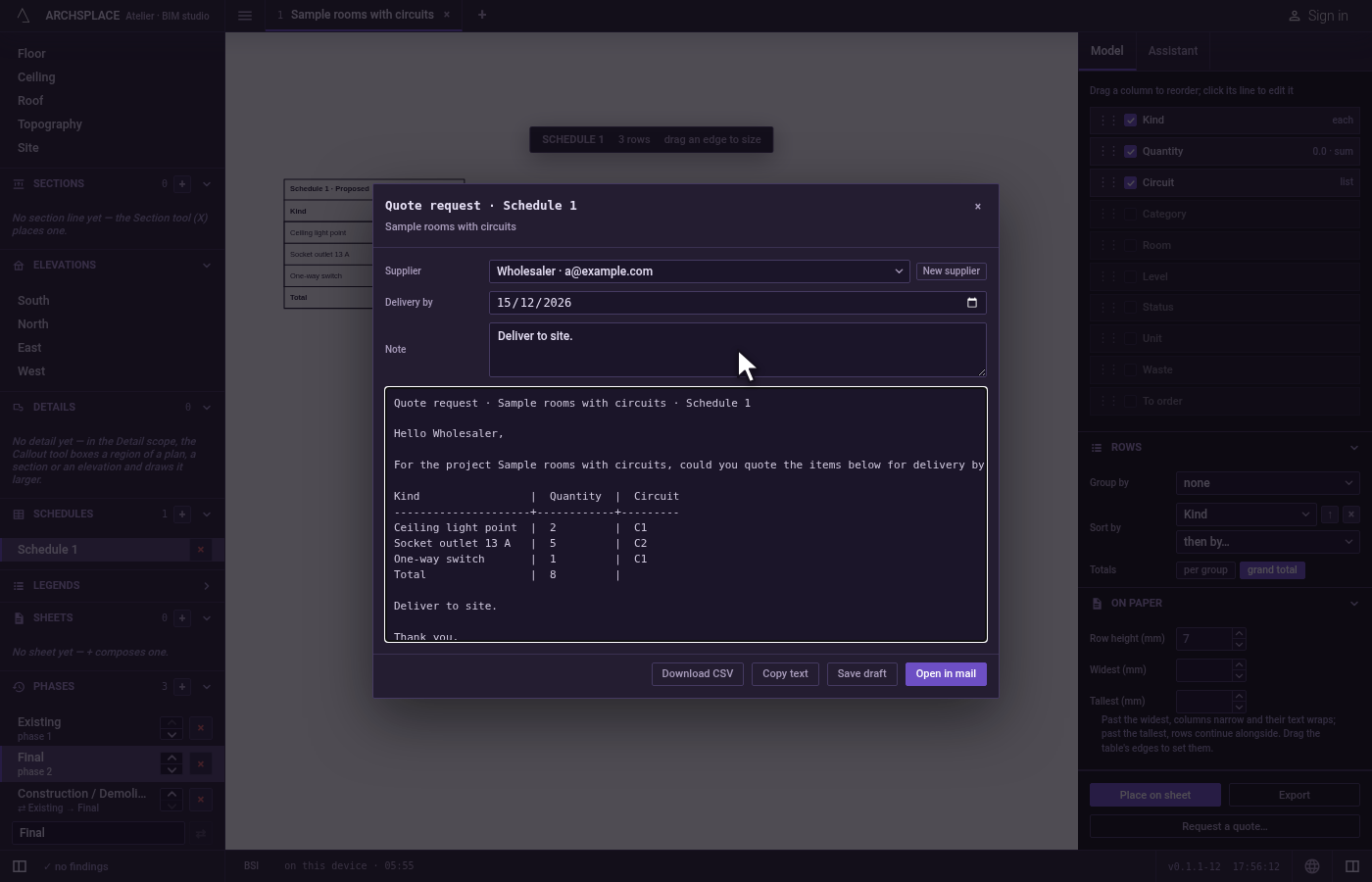
Open it in your mail. Click Open in mail. Your mail application opens with the message, addressed to the supplier. Send it from there. The request joins Quote requests in the sidebar, marked sent today.
What it refuses
- A request with no supplier. Open in mail stays greyed until a supplier is chosen.
- Sending the email by itself. The atelier never sends mail: it opens the message in your mail application, and you send it.
- Changing the rows of a request. The table is frozen as it read when the request was written; a schedule that changed since is said, never rewritten into it.
What it writes to the contract
The suppliers are the project's suppliers, each with its name and its email. Each request is an entry of the project's quotes: the schedule it came from, the supplier it goes to, its delivery date, its message, the frozen headers and rows of the table, and sent, the date it left, or nothing while it is a draft. Each change is one step that one Ctrl+Z takes back. Download CSV and Copy text write nothing in the project.
Common questions
How do I ask a supplier for prices?
Open the schedule of what you need, such as the electrical devices, and click Request a quote… at the foot of its builder. Choose the supplier or add a new one, set the delivery date and a note, and click Open in mail: your mail application opens with the message and its table, addressed to the supplier.
Does the atelier send the email?
No. It writes the message and opens it in your own mail application, where you read it and send it yourself. The request is kept in the project as sent, with its date.
What if the project changed after I sent the request?
The request keeps the rows as they were sent. When you open it again, it says how many rows read differently today, so you know whether to ask again.